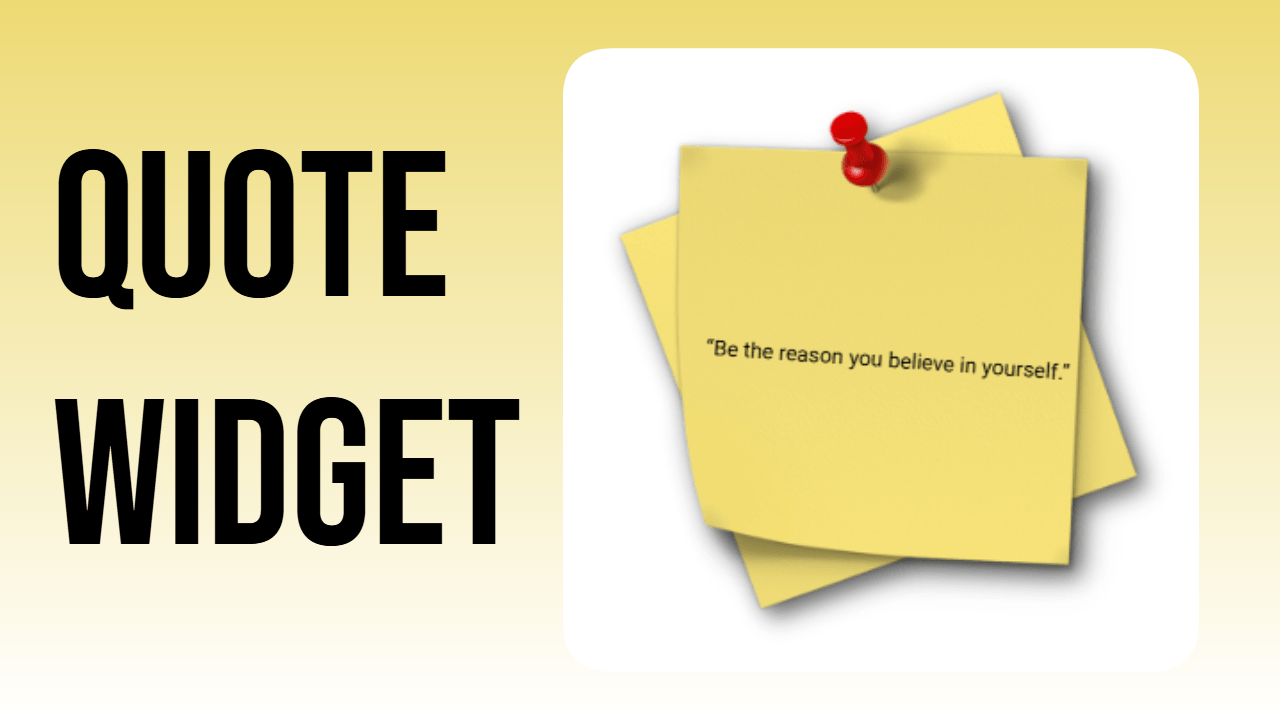
Notion widgets like this notion quote widget turn a plain text block into a tilted Post-it note showing a new quote of the day.
A quote notion widget does not need much code to look convincing. This build uses a slight rotation and a paper-style background image to make a plain text widget look like a sticky note pinned to the page, which fits naturally into a daily quote setup without needing any extra plugins.
Step 1: Open the Text widget
On thePlus.so, create a new widget and pick the Text type. This is the same base used for most notion quotes widgets since it allows raw code editing instead of a fixed template.
Step 2: Add the plus code for quotes
Paste in the plus code meant for displaying quote text. This is the core of the widget and is what turns a static text box into something that can hold a rotating notion daily quote widget setup later on if needed.
Step 3: Add the background image code
Above the quote code, insert the snippet for a background image. A Post-it or sticky-note style image works best here since it gives the quote for notion a physical, tactile look rather than a flat digital box.
Step 4: Rotate the widget
Open “More options” and set the rotation to 5 degrees. This small tilt is what sells the illusion of a real sticky note stuck slightly off-angle on a desk or board, rather than a perfectly aligned digital rectangle.
Step 5: Save and copy the embed code
Once the quote text, background, and rotation all look right, save the widget and copy the generated embed link.
Step 6: Embed and resize in Notion
Paste the link into a Notion page using /embed. The embed block should be resized to match the background image’s own ratio, otherwise the Post-it shape stretches or gets cropped oddly.
That covers the whole build. The same base can hold different quotes each day for a working Notion quote of the day setup, or the text can stay fixed for a single favorite line, similar to how a “sometimes a great notion” quote might sit permanently on a dashboard. Rotation angle, paper color, and font can all change per page, so a quote notion widget on a reading tracker can look different from one used as a morning motivation note, while still using the exact same three-part structure: background, quote text, and a small tilt to finish the look.